
 Help keep Byter free
Explore Byter
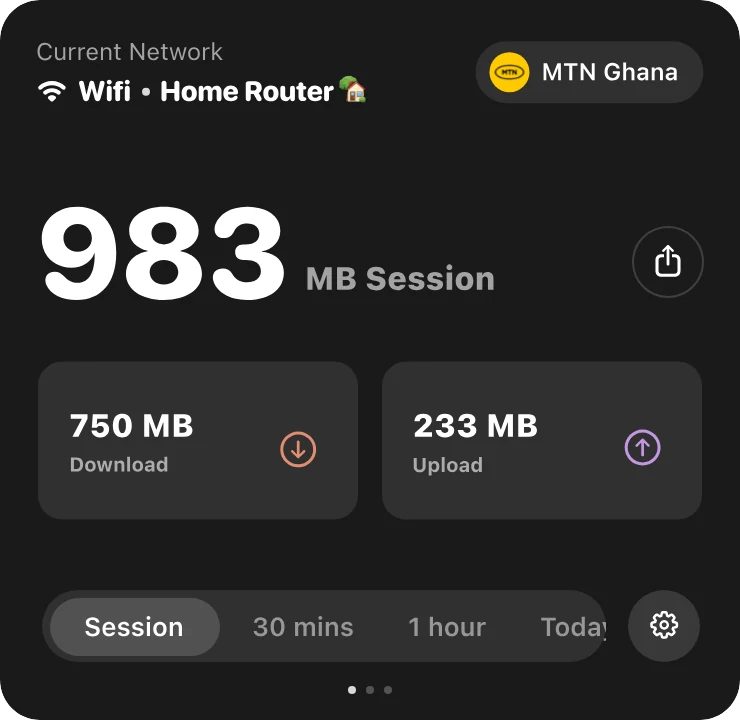
Byter shows how much data you use on every network, your live internet speed and a one-click speed test, right in the Mac menu bar or Windows taskbar.
What Byter can do for you
- Data usage monitorByter is a free data usage monitor for Mac and Windows. See how much data each Wi‑Fi network and hotspot uses, with daily, weekly and monthly history.
- Hotspot data trackerSee exactly how much of your phone’s hotspot data your laptop uses. Byter tracks hotspot usage separately from Wi‑Fi, free on Mac and Windows.
- Network speed monitorByter shows your live download and upload speed in the Mac menu bar or Windows taskbar, with a live dial and speed history. Free.
- Speed test appTest your download speed, upload speed and latency from the menu bar or taskbar. Byter is a free speed test app for Mac and Windows.
- Usage per Wi‑Fi networkByter splits your data usage by Wi‑Fi network and hotspot, so you know exactly which connection used what. Free for Mac and Windows.
- GlassWire alternativeLooking for a GlassWire alternative to track data usage? Byter is a free, lightweight tray app for Windows and Mac that tracks data per network.
- TripMode alternativeWant to know how much hotspot data your laptop uses? Byter is a free alternative to TripMode for tracking data on Mac and Windows (no app blocking).
Tips on saving data and speeding things up are in the guides.

See where your data goes
Free for Mac and Windows. No ads, no account.